Ear Trainer Master

Ear Trainer Master

Ear Training & Music Theory

GUITAR EAR TRAINING

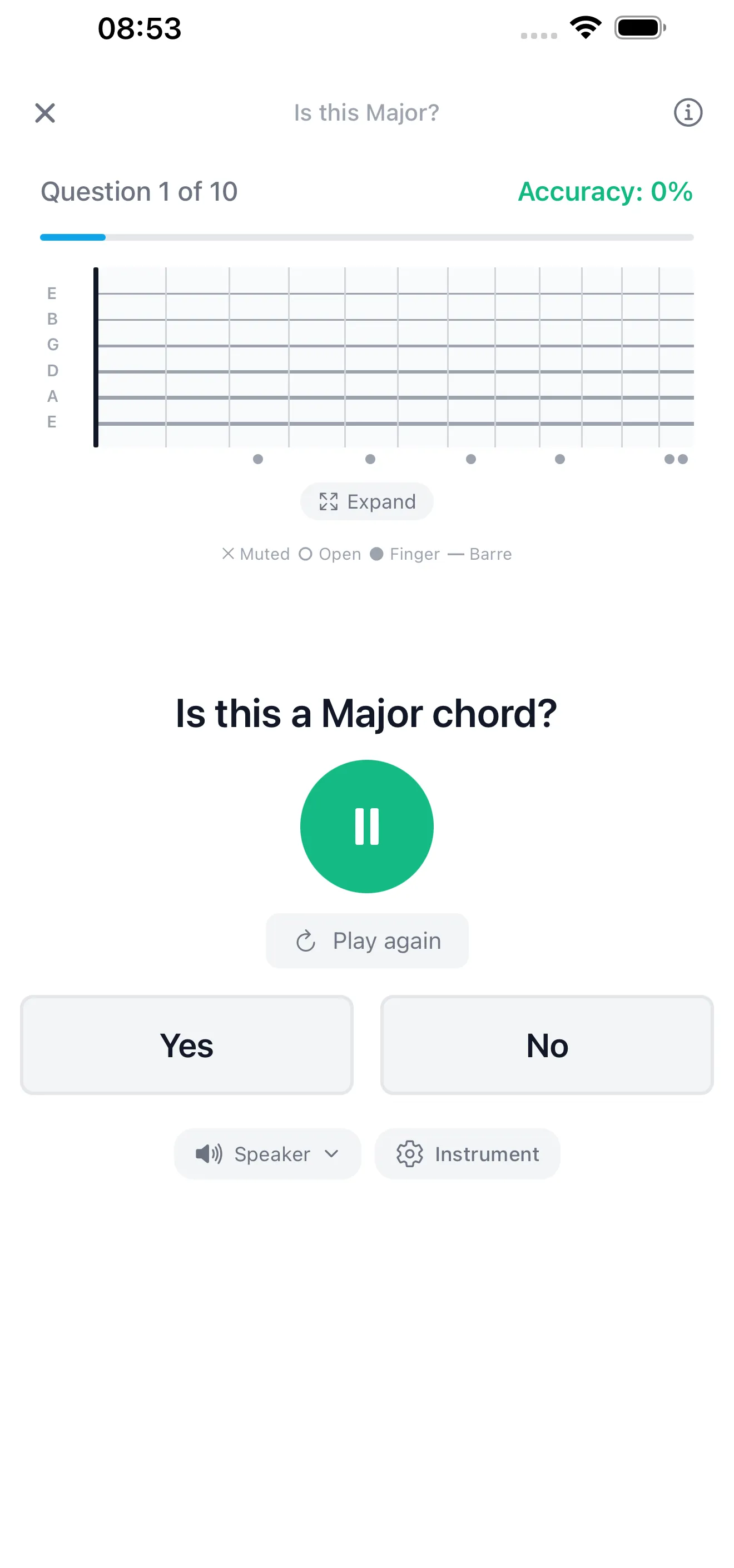
See chord shapes on a real fretboard while you train — open voicings, barre chords, and a voicing style toggle

PIANO EAR TRAINING

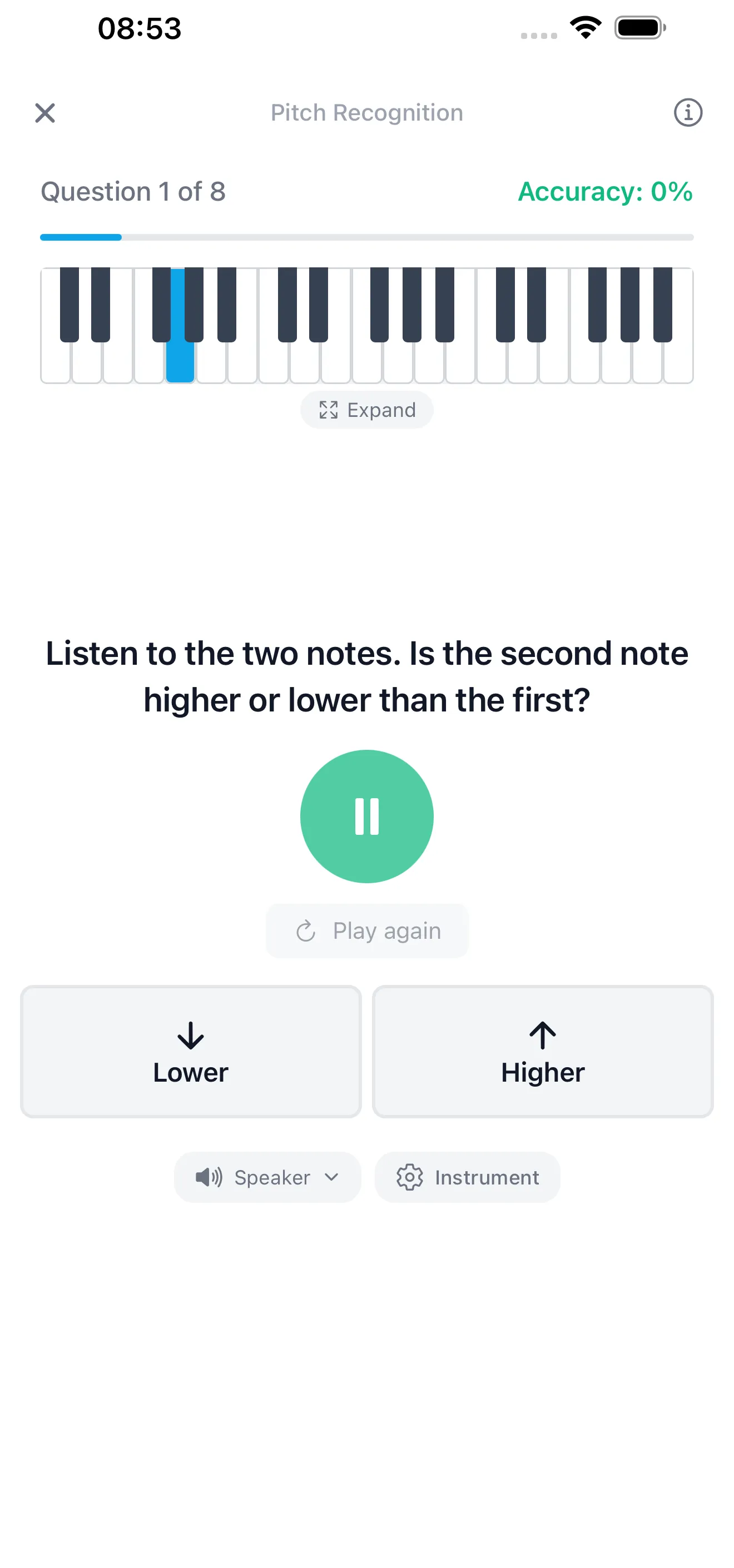
Watch piano keys light up as intervals and chords play

100+ EAR TRAINING LESSONS

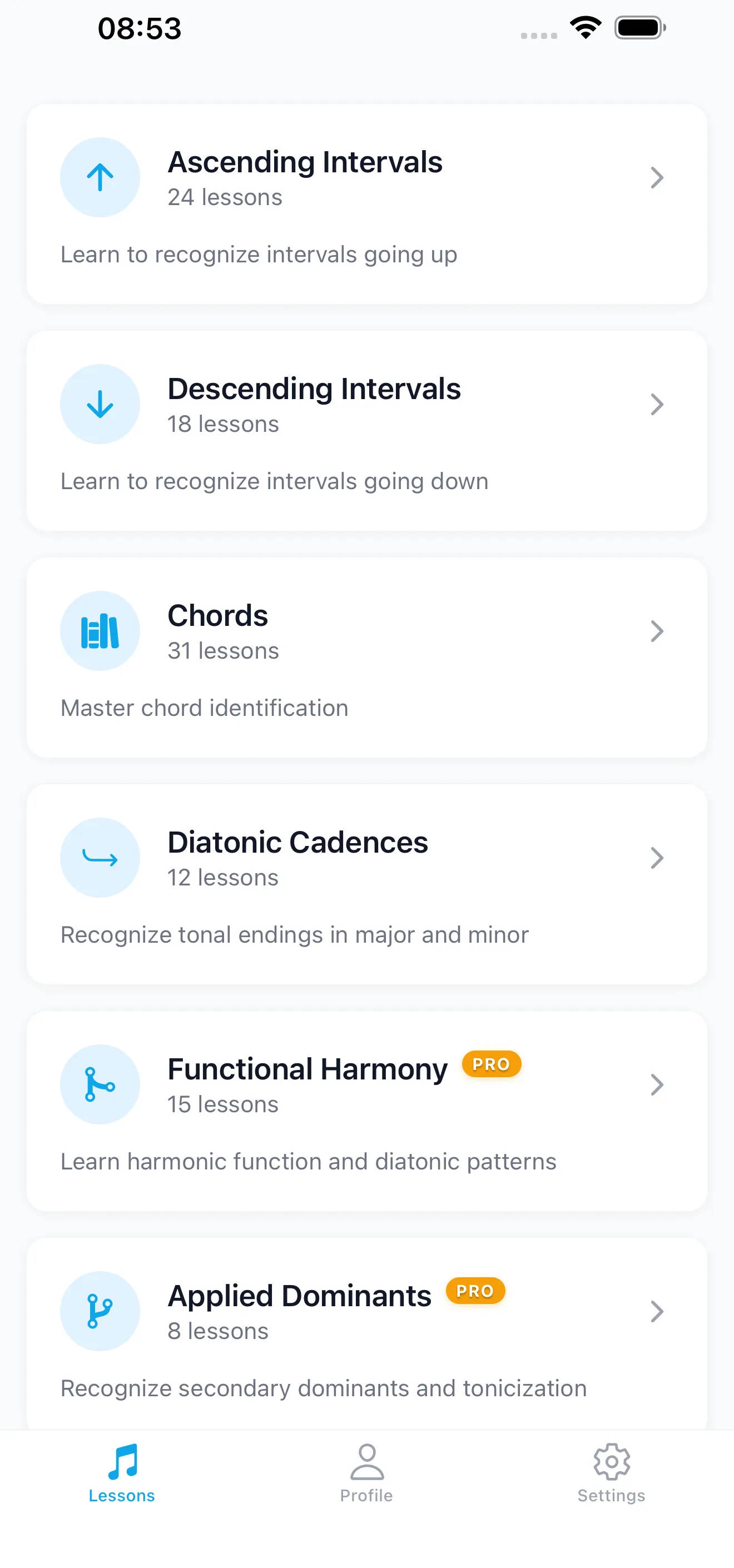
Ascending Intervals — 24 lessons from pitch recognition to compound intervals across all 12 keys

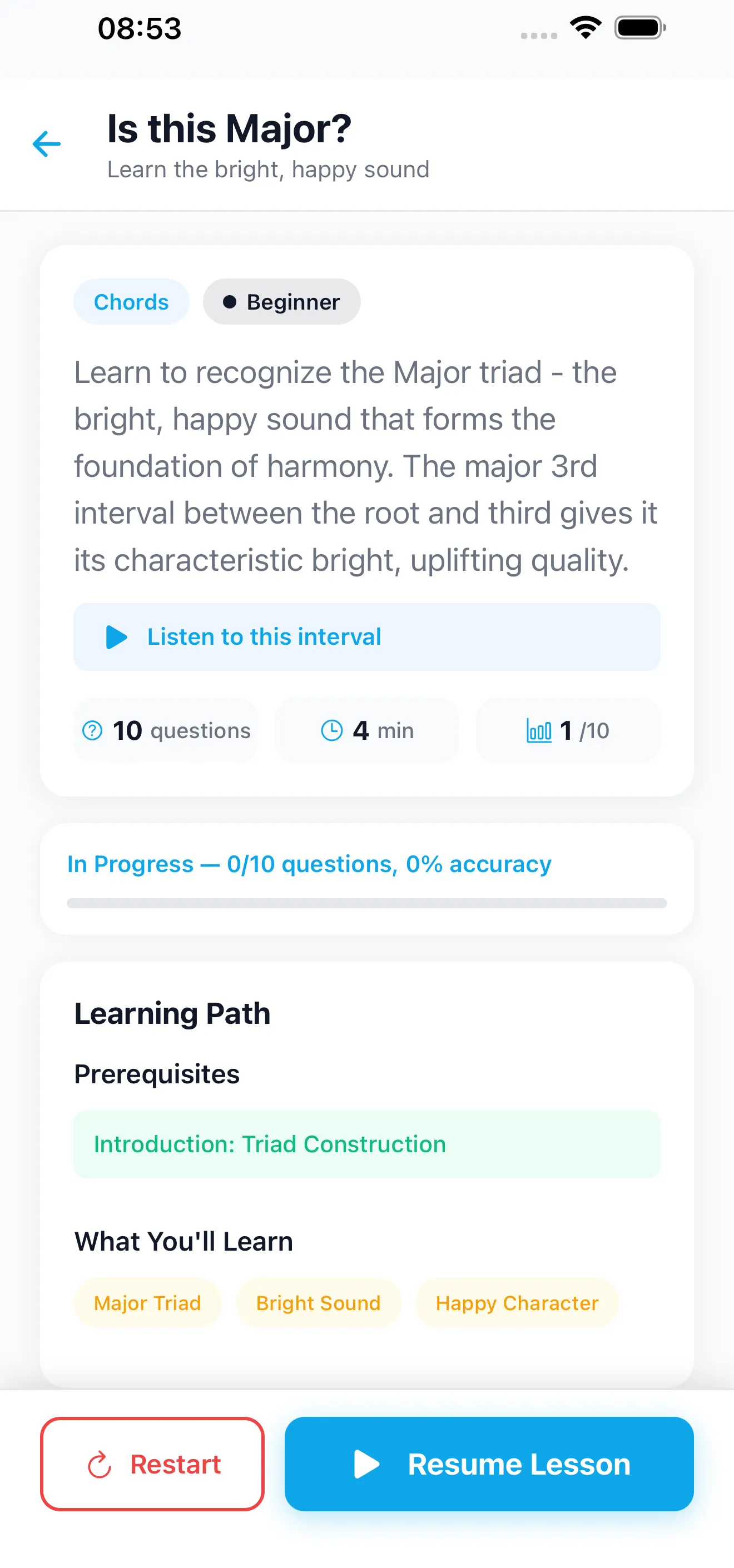
LEARN MUSIC THEORY BEFORE EACH QUIZ

Concept intro lessons explain what to listen for and why it matters

PRACTICE IN ANY KEY

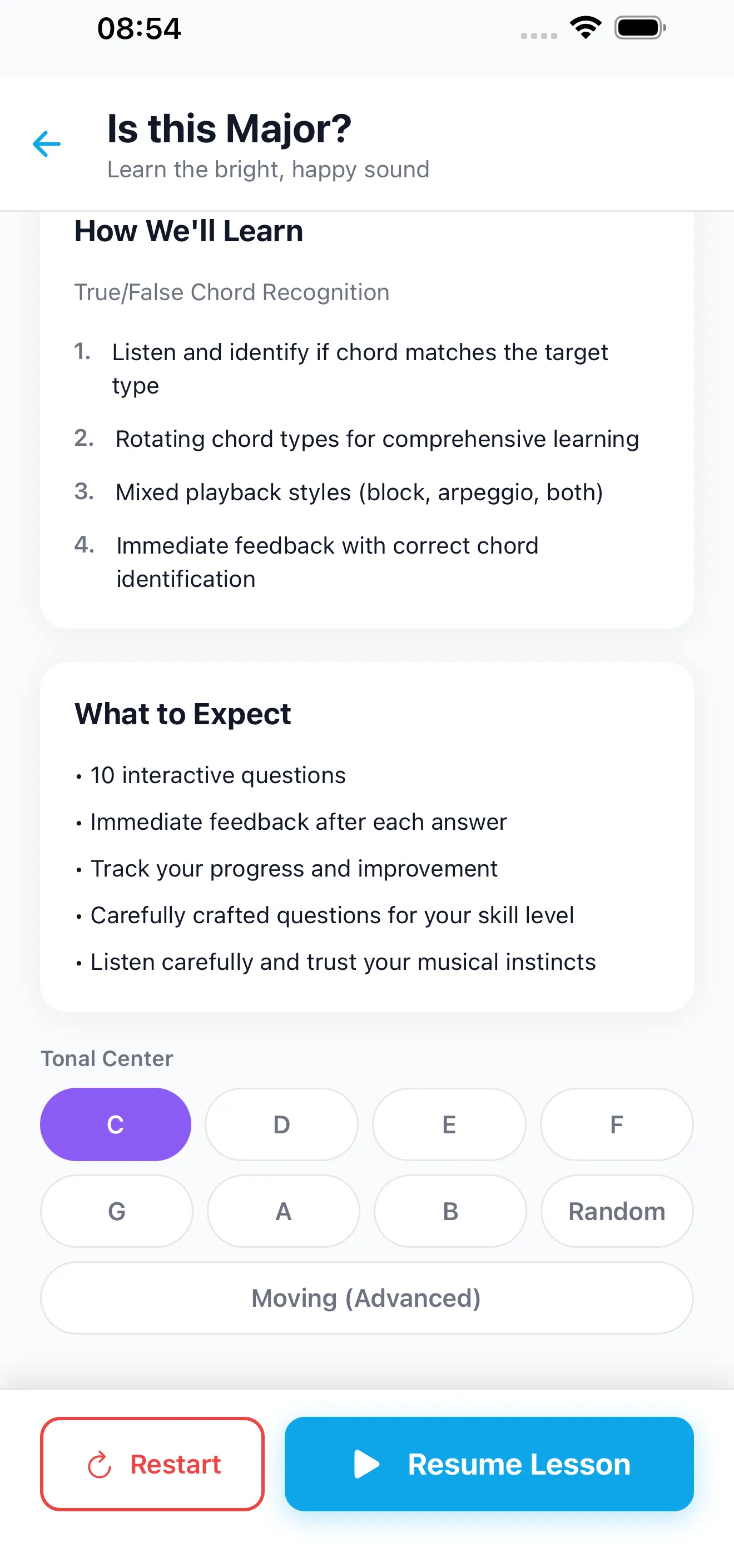
Tonal center selector — choose C, D, E, F, G, A, or B as your practice key

AVAILABLE IN 16 LANGUAGES

English, Spanish, French, German, Italian, Portuguese, Dutch, Japanese, Chinese, Russian, Arabic, Hindi, Bengali, Urdu, Turkish, Indonesian

Free & Affordable

Start with free lessons. Unlock everything with a one-time purchase.

  • Free lessons forever
  • No subscription required
  • PRO — $4.99 (One-time purchase)

See the App in Action

Explore the clean, intuitive interface designed to help you train your ear effectively.

See Chords on the Fretboard

See Chords on the Fretboard

Learn Before You Quiz

Learn Before You Quiz

100+ Structured Lessons

100+ Structured Lessons

Train Intervals & Chords

Train Intervals & Chords

Practice in Any Key

Practice in Any Key

What ear training actually does for you

Ear training is the practice of learning to recognize what you're hearing: the interval between two notes, the quality of a chord, the function of a progression. It's the difference between "that sounds nice" and "that's a ii-V-I in F."

For most musicians, the gap between reading music and hearing music stays wider than it should. You learn your scales, you learn your chord shapes, you practice pieces — but when you hear a song you love, can you tell what chord is playing? When a bass player hits a note, can you name it? Ear training closes that gap.

Why it's often taught badly

Traditional ear training drops you into rapid-fire drills: hear an interval, name it, hear another, name it, keep going. No context. No theory first. No visual reinforcement. If you get it right, the app moves on. If you get it wrong, you try again. This is how most ear training apps work, and it's why most people quit after a week.

Ear Trainer Master was built differently. Every lesson starts with a concept intro — a short, interactive screen that shows you what the interval or chord looks like on a piano keyboard and a guitar fretboard, then lets you hear it in context with song anchors you already know. Only then does the quiz begin.

The 100+ lessons

The app covers six content domains, building on top of each other in a prerequisite structure:

  • Ascending intervals24 lessons from pitch recognition to compound intervals.
  • Descending intervals18 lessons with song anchors and mixed-direction drills.
  • Chord identification31 lessons covering triads, inversions, sevenths, and extensions up to 13ths.
  • Cadences11 lessons on authentic, plagal, half, and deceptive cadences.
  • Functional harmony15 lessons on tonic/dominant/predominant roles, pop loops, and the circle of fifths.
  • Applied dominants8 lessons on secondary dominants and tonicization.

You can take them in order (Tutor Mode — unlocks after 80% mastery) or jump around freely (Free Mode).

Piano and guitar together

Most ear trainers pick a side: either they show you a piano keyboard, or a generic note label. Ear Trainer Master shows both a piano keyboard and a real guitar fretboard with proper voicings. See the same interval as a piano shape and a fretboard shape. Switch voicing styles — open, barre, rootless — to match what you actually play. It's the app we wish existed when we were learning.

Practice in any key

The tonal center selector lets you pick which key to train in, so you can target the keys you actually play in. You can also let the app pick a random tonic each quiz, or enable moving tonic mode for a higher-difficulty drill.

What you pay

$4.99, one time. Not a subscription. The first four lessons in each domain are free so you can try before you pay. Family Sharing is enabled on iOS, so one purchase covers the whole family. Works offline. Ad-free. Ships in 16 languages.

From the Blog

Learn the theory behind the app.

View all articles

Frequently Asked Questions

What is ear training?

Ear training is the practice of recognizing musical elements by sound — intervals, chords, progressions, rhythms. It's how musicians learn to identify what they're hearing and transcribe music without looking at a score.

Do I need to read music to use Ear Trainer Master?

No. The app uses audio, visual piano keyboards, and guitar fretboards throughout. You don't need to read sheet music to complete any lesson.

Is it better to do ear training on piano or guitar?

Both work. Ear Trainer Master shows a piano keyboard and a guitar fretboard side by side on every quiz, so you can train with the instrument you play. Most serious ear trainers get comfortable with both eventually.

How long until I notice improvement?

Most users report noticing a real difference in interval recognition within 2-3 weeks of daily 10-minute practice. Chord recognition takes longer — typically 6-8 weeks to feel confident on triads and sevenths.

Does the app work offline?

Yes. After the first download, all lessons, audio, and quizzes work without an internet connection.

Is Ear Trainer Master free?

The first four lessons in each of the six domains are free to try. Unlocking the full app (100+ lessons) is a one-time $4.99 purchase. No subscription. Family Sharing is enabled on iOS.

What's the difference between relative pitch and perfect pitch?

Relative pitch is the ability to identify notes and intervals in relation to a reference pitch — it's a trainable skill, and it's what Ear Trainer Master teaches. Perfect pitch is the ability to identify any note without a reference, and it's generally considered not trainable past early childhood.

Who is Ear Trainer Master for?

Guitarists, pianists, singers, songwriters, and music students who want to identify intervals, chords, and progressions by ear. The app is designed for beginners through intermediate learners — jazz students will find the extended-chord and secondary-dominant lessons particularly useful.

Start Training Your Ear Today

Download free on iOS and Android